ユーザコード (Python)
ここでは,ユーザが Python と ROS 2 の基礎を習得していることを前提にしています. ROS 2 の学習には Tutorials | ROS 2 Documentation をご参照ください.
Setup Assistant で作成した Tobas プロジェクト (例: tobas_f450.TBS) に含まれる ROS パッケージのうち, ユーザ Python パッケージ (例: tobas_f450_user_py) はユーザが自由に編集できる Python パッケージです. 以下の 3 つの launch ファイルが含まれます.
common.launch.py: 実機とシミュレーションの両方で起動されます.real.launch.py: 実機でのみ起動されます.gazebo.launch.py: シミュレーション時のみ起動されます.
試しに GNSS の状態を確認し,3 次元測位できている場合にメッセージを発する Python ノードを作成してみます.
tobas_f450_user_py/tobas_f450_user_py/user_node.pyを以下のように編集してください.
import rclpy
from rclpy.node import Node
from rclpy.qos import QoSProfile, ReliabilityPolicy, DurabilityPolicy

from tobas_msgs.msg import Message
from tobas_msgs.msg import Gnss


class GnssStateCheckerNode(Node):
    def __init__(self) -> None:
        super().__init__("gnss_state_checker")

        qos = QoSProfile(depth=1)
        qos.reliability = ReliabilityPolicy.BEST_EFFORT
        qos.durability = DurabilityPolicy.VOLATILE

        self._message_pub = self.create_publisher(Message, "message", qos)
        self._gnss_sub = self.create_subscription(Gnss, "gnss", self._gnss_callback, qos)

    def _gnss_callback(self, gnss: Gnss) -> None:
        message = Message()
        message.header.stamp = gnss.header.stamp
        message.name = self.get_name()

        if gnss.fix_type == Gnss.FIX_3D:
            message.level = Message.LEVEL_INFO
            message.message = "GNSS 3D Fix"
            self._message_pub.publish(message)


def main(args=None) -> None:
    rclpy.init(args=args)
    node = GnssStateCheckerNode()
    rclpy.spin(node)


if __name__ == "__main__":
    main()
このノードが自動で起動するよう設定します.
tobas_f450_user_py/launch/common.launch.pyのadd_actionの部分のコメントアウトを外してください.
# Do not delete or rename this file because it is executed in tobas_f450_config/common_interface.launch.py.

from launch import LaunchDescription
from launch_ros.actions import Node


def generate_launch_description():
    ld = LaunchDescription()

    # Please add the nodes that run both on real hardware and in simulation.

    ld.add_action(
        Node(
            package="tobas_f450_user_py",
            executable="user_node",
        )
    )

    return ld
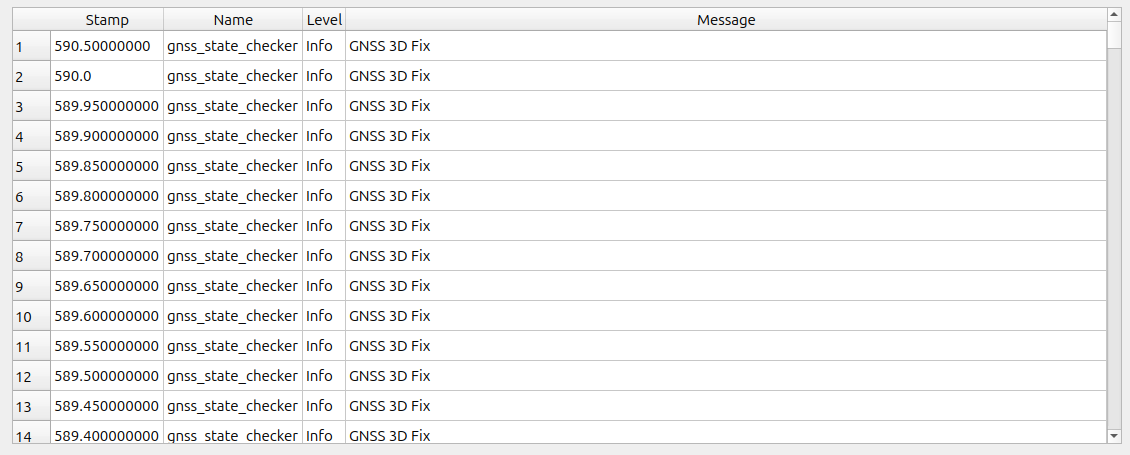
GCS からシミュレーションを起動すると,Control Systemのコンソールにメッセージが表示されます.
API の詳細についてはROS APIをご覧ください.