Installation
Installing Tobas on Your PC
Installing ROS 2 Jazzy
Follow the official ROS 2 Jazzy instructions
to install ROS 2.
This guide uses ros-jazzy-desktop.
Installing Tobas
Install Tobas from the ROS 2 apt repository.
$ sudo apt update
$ sudo apt install ros-jazzy-tobas
Flashing the Flight Controller Image
What You Need
- Raspberry Pi 5 (2 GB or more)
- A microSD card with at least 16 GB (e.g., SanDisk Extreme microSDXC™ UHS-I CARD - 32GB)
- An SD card reader (e.g., SANDISK QuickFlow microSD Card Reader with USB-C)
Procedure
Download the Tobas image file before proceeding.
Install an image flashing tool. For example, you can use:
Connect the SD card to your PC using the card reader.
Launch the flashing tool, select the downloaded image and the target SD card, and start flashing. The following screenshot shows balenaEtcher.
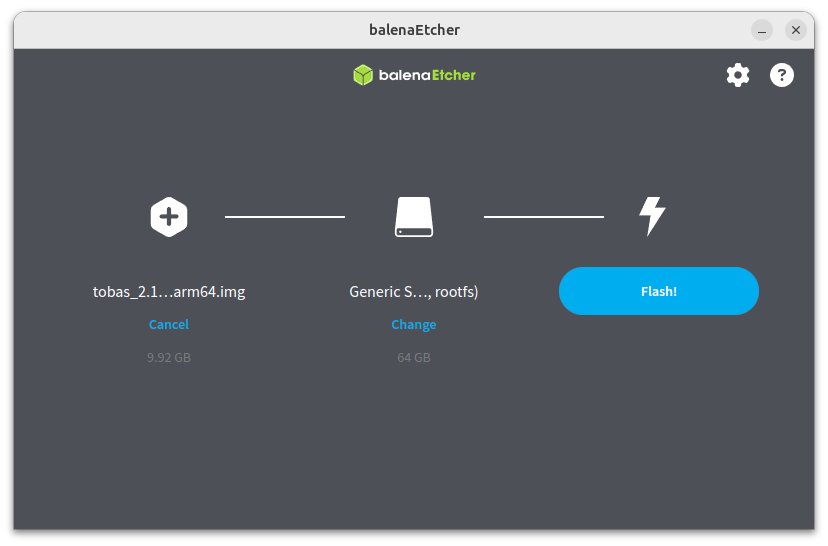
Once flashing completes successfully, remove the SD card from your PC.
Next Steps
Installation is now complete. We recommend restarting your PC before proceeding so that the changes made during installation take effect. Next, use Tobas Bootmedia Config to configure the initial settings before booting.